OwnScan

Document scanner

Launching first

A document scanner that works for you, not a subscription.

OwnScan turns paper into clean, searchable PDFs, and everything happens on your iPhone or iPad. No account, no cloud, no ads, no tracking.

Platforms
iPhone and iPad
Free to try
5 documents + 5 IDs free, every feature
To keep it
US$9.99 · one payment
Data collected
None

Fair pricing

// screenshots

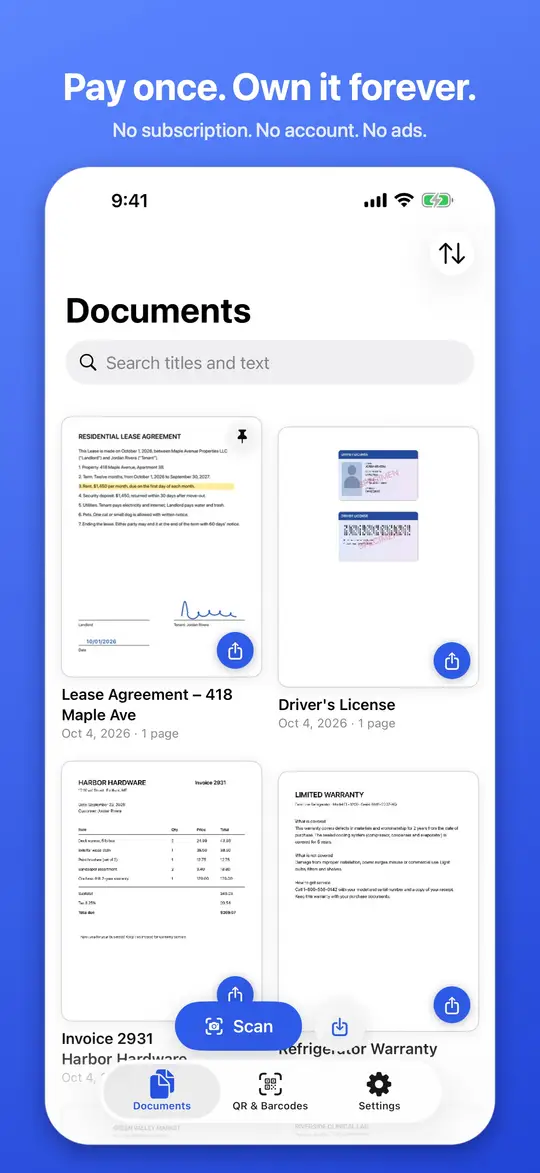
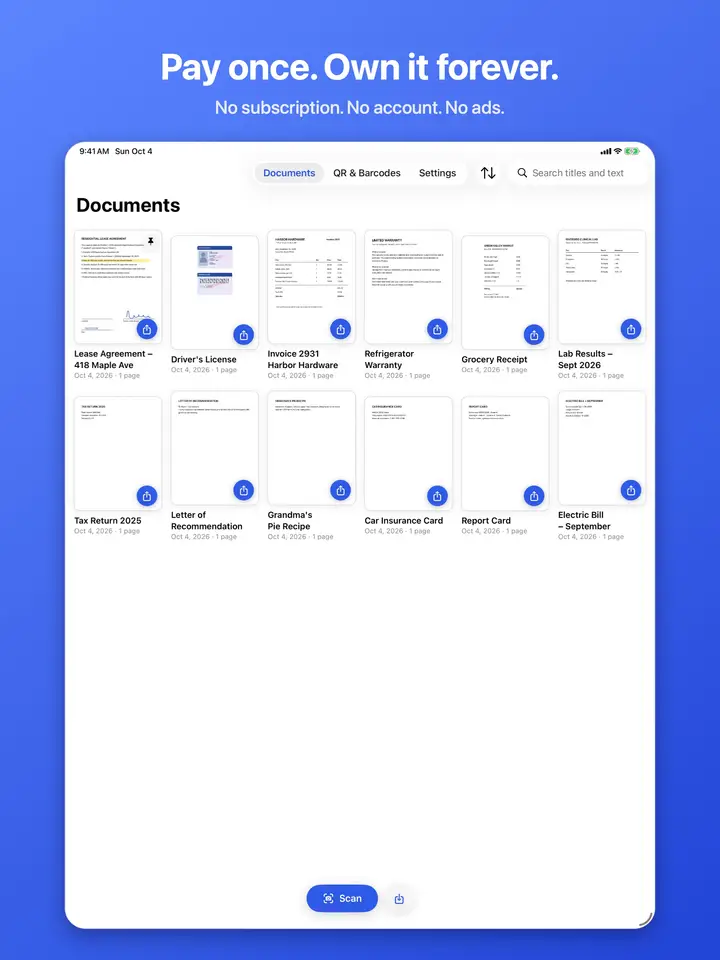
  • Your document library in OwnScan, with scanned files in a grid
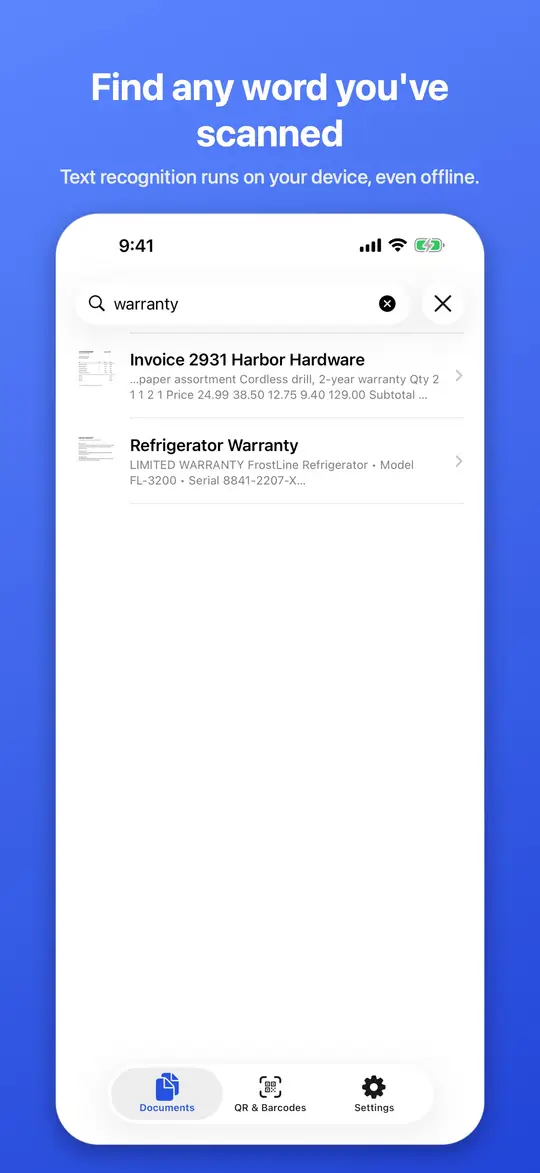
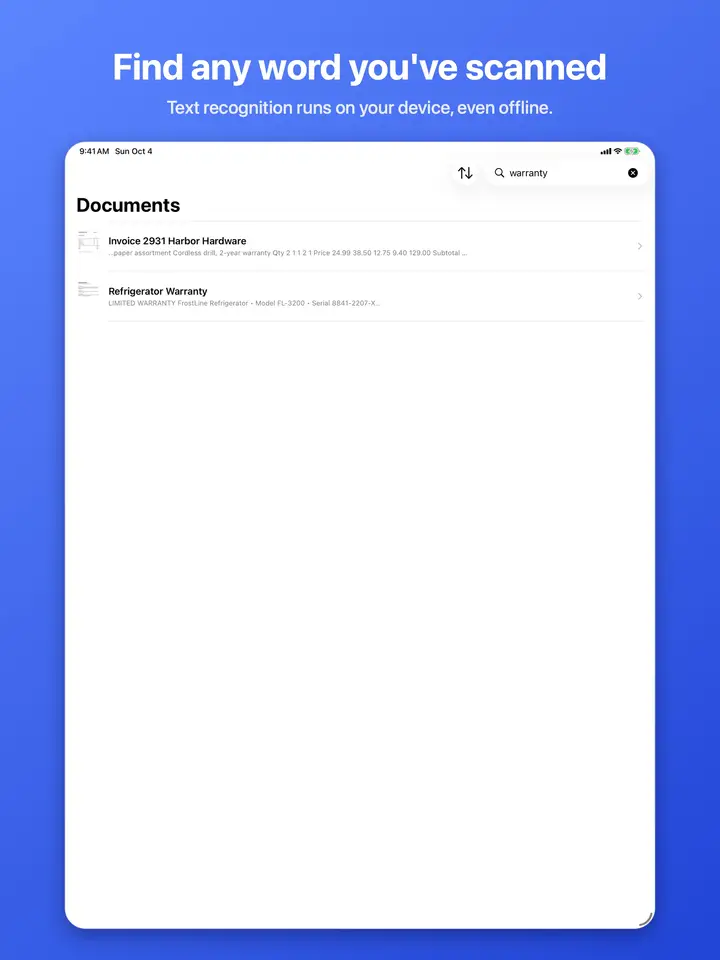
  • Searching the text inside your scanned documents
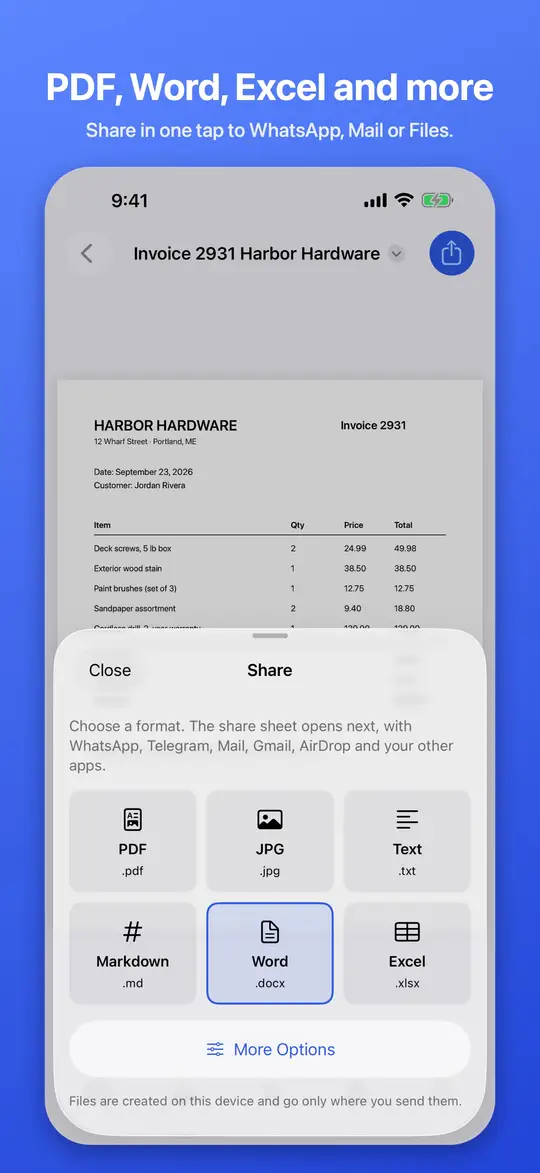
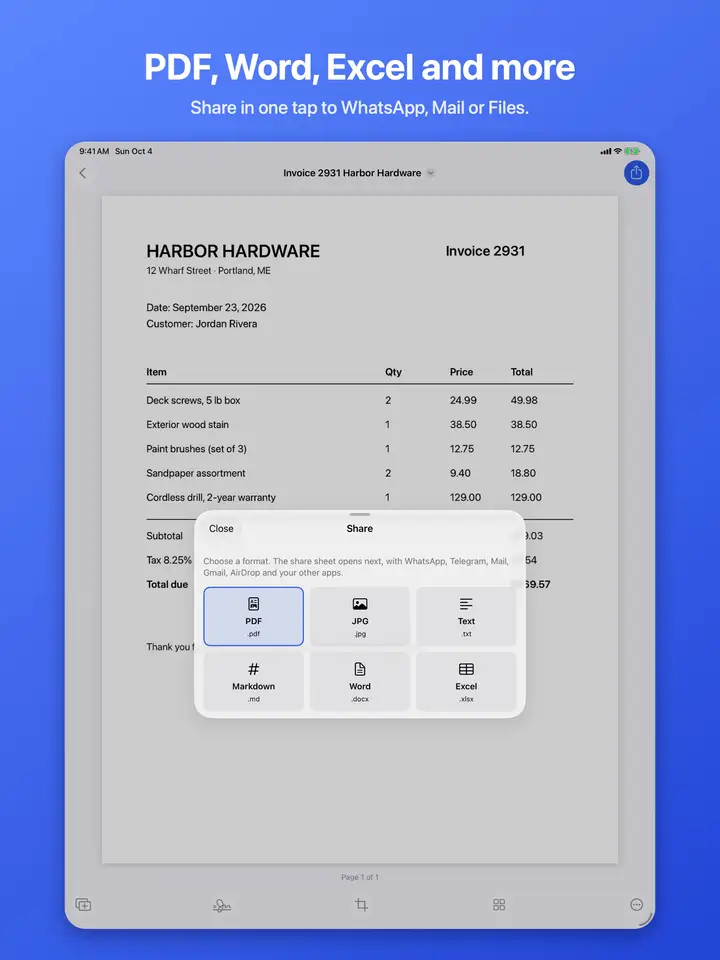
  • Sharing a scan as a PDF from the share sheet
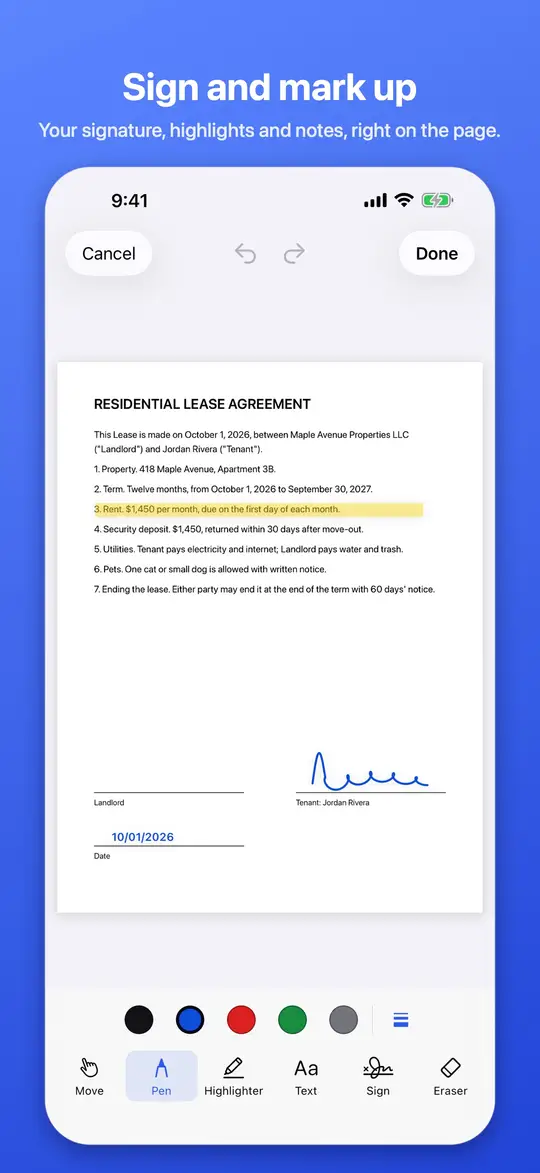
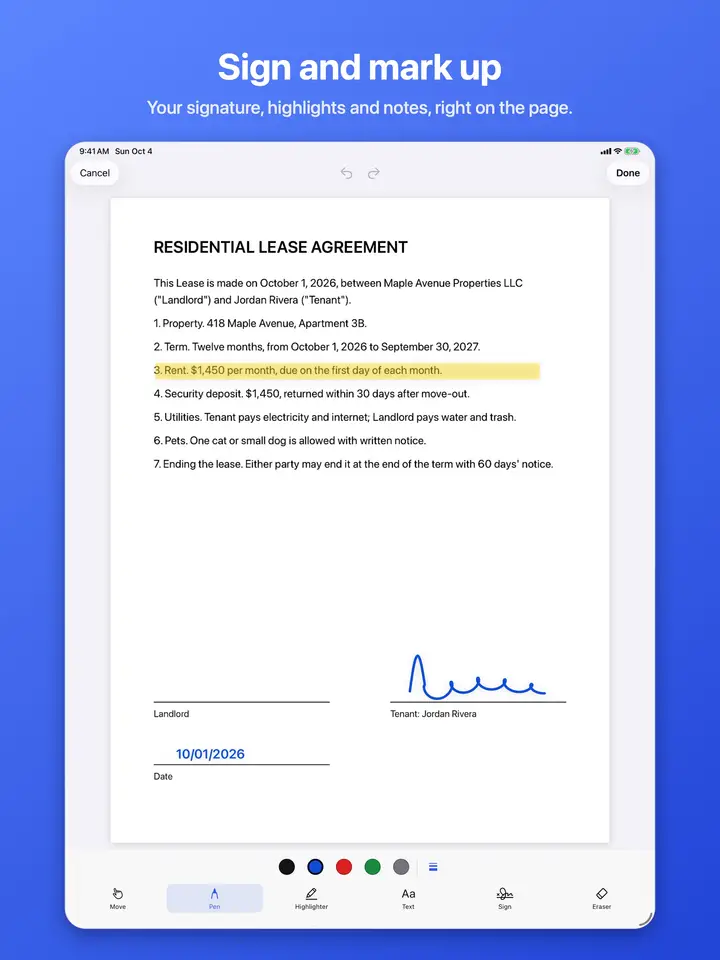
  • Marking up and signing a scanned page
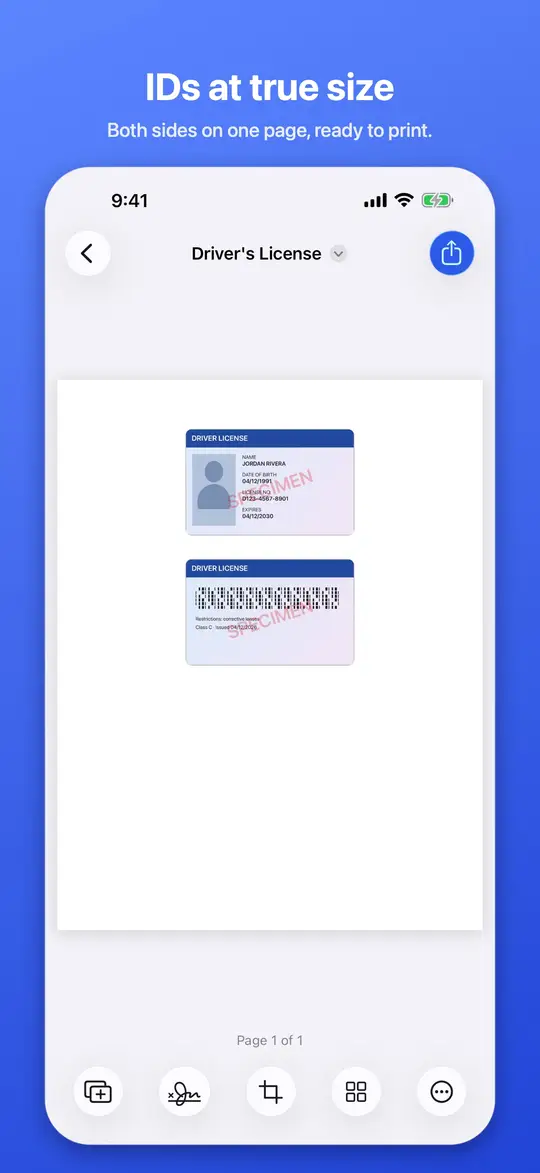
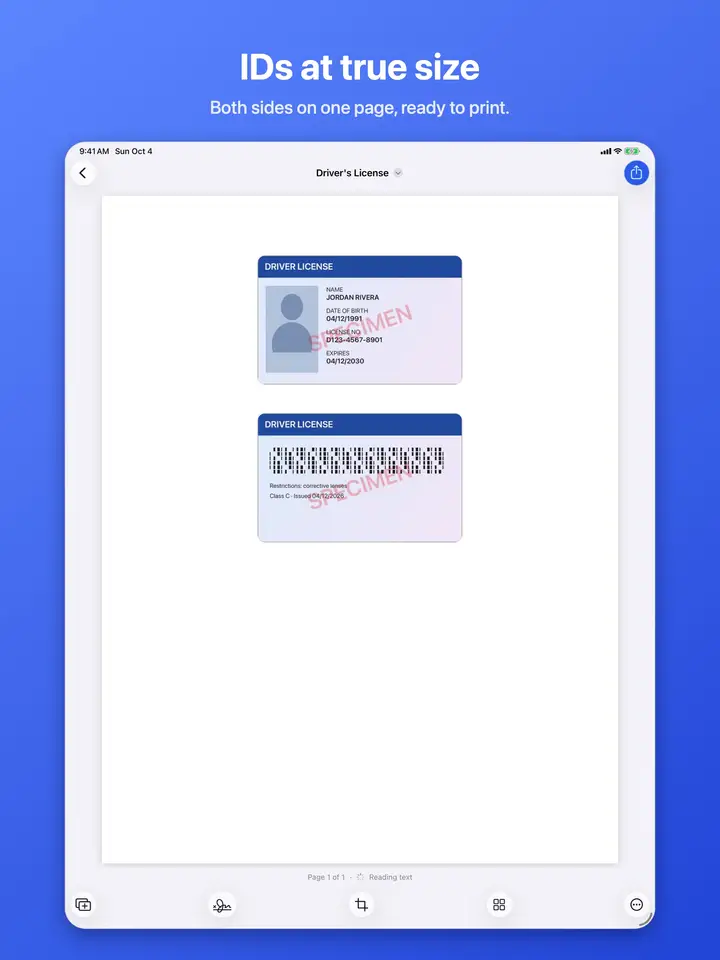
  • Scanning both sides of an ID at true size on one page
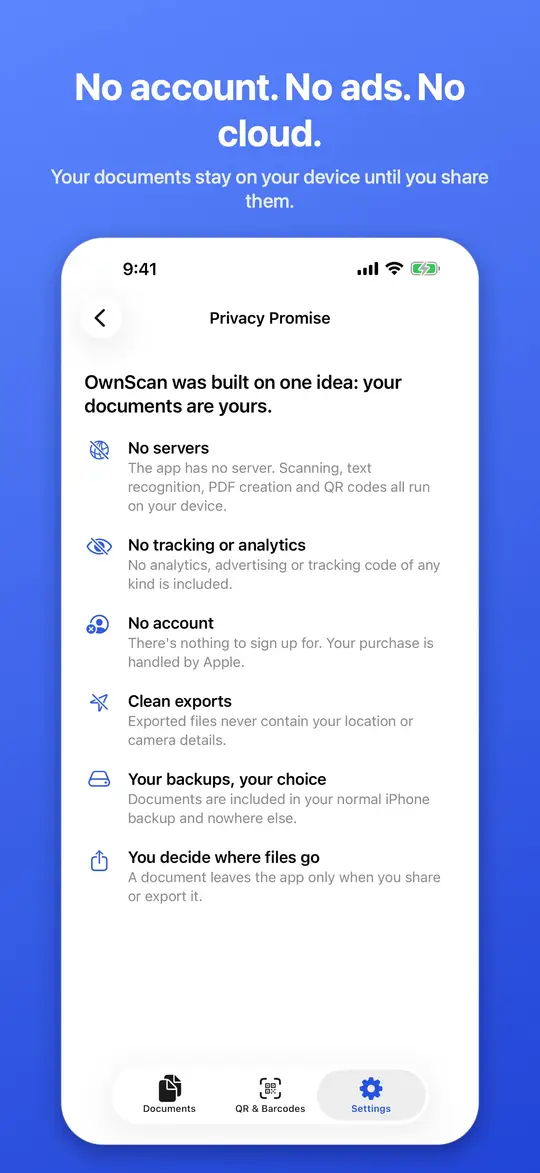
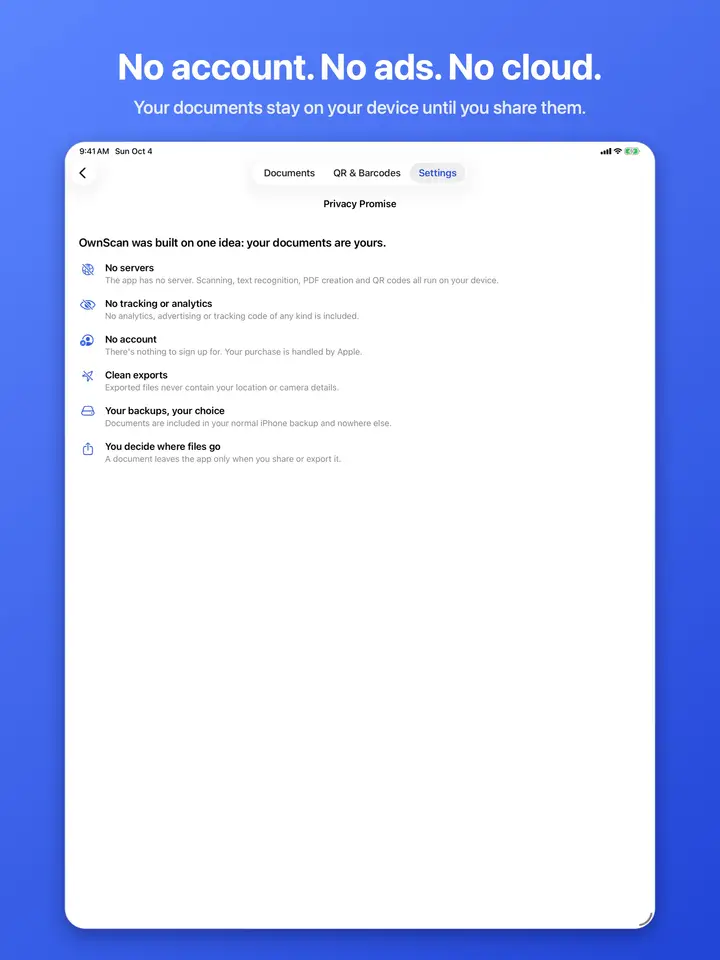
  • OwnScan keeps everything on your device: no account, no cloud
  • Your document library in OwnScan, with scanned files in a grid
  • Searching the text inside your scanned documents
  • Sharing a scan as a PDF from the share sheet
  • Marking up and signing a scanned page
  • Scanning both sides of an ID at true size on one page
  • OwnScan keeps everything on your device: no account, no cloud

OwnScan turns paper into clean, searchable PDFs, and everything happens on your iPhone. There's no account to create, no cloud to upload to, no ads and no tracking. Try it free with 5 documents, then unlock everything with a single purchase that's yours forever.

// what it does

SCAN BEAUTIFULLY

  • Apple's document camera finds the page edges and captures automatically, many pages at a time
  • Import photos, screenshots and PDFs. Imported photos are straightened automatically
  • Auto clean-up removes shadows and whitens the paper, or choose Grayscale or B&W
  • Crop, rotate, reorder pages and add more at any time

FIND ANYTHING

  • Text recognition runs on your device and works offline
  • Search every word in every document
  • Documents name themselves from their text ("Invoice 2931 Harbor Hardware")
  • Copy or share the text from any page

SHARE THE WAY YOU WANT

  • One tap to share to WhatsApp, Telegram, Mail, Gmail, AirDrop or Files
  • PDF, JPG, Text, Markdown, Word (.docx) and Excel (.xlsx)
  • Tables on the page become real Word tables and Excel sheets
  • Searchable PDFs you can select and search in any PDF app
  • Password-protected PDFs, with optional print and copy limits
  • Letter, A4 or fit-to-scan, in three quality levels
  • Exports never contain your location or camera details

SIGN AND MARK UP

  • Draw your signature once and reuse it on any document
  • Add text, highlight and draw with your finger or Apple Pencil
  • Watermarks like COPY or CONFIDENTIAL, with your own opacity and angle

IDS AND PASSPORTS

  • Both sides of an ID card or driver's license on one page, at real size
  • Passport mode reads the code at the bottom of the photo page and fills in the details for you
  • Read and kept on your iPhone only

QR CODES AND BARCODES, SAFELY

  • Scan any common code, or read one from a photo or screenshot
  • Scam-link warnings: OwnScan flags unencrypted links, look-alike domains, raw IP addresses and link shorteners before you open them
  • Create QR codes for links, Wi-Fi, contacts, email, phone and text

// specs

Platforms
iPhone and iPad
Processing
Text recognition on your device
Input
Camera, photos, screenshots and PDFs
Output
Searchable PDF, JPEG, plain text
Network
Not needed: works offline
Account
None, not even optional
Data collected
None
Price model
5 documents + 5 IDs free, every feature, then buy once
OS updates
Free compatibility updates

your device

  • app
  • on-device processing
  • your files

no connection

internet

  • our server doesn't exist
  • cloud sync no connection
  • ads no connection
  • analytics no connection
How every Cleanware app is built: everything happens on your device. There's no server for your data to go to.

Fair pricing

US$9.99One payment

one-time purchase, after 5 free documents and 5 free IDs

  • Free: every feature, for your first 5 documents and 5 IDs
  • One purchase of US$9.99: unlimited documents and IDs, forever, with future updates included
  • Family Sharing supported. Restore anytime

Coming to the App Store first. This page will link to it at launch.

Data Not Collected

Private by design

  • No account, no server, no analytics, no ads
  • Optional Face ID lock that also hides the app in the app switcher
  • Your documents stay in your iPhone backup, and nowhere else

Read the privacy policy

In English and Spanish.

Need a hand?

Answers to common questions, and how to reach our team.

Visit support